
Best Cloud Storage depends on your devices and files. Google Drive offers strong value, while OneDrive suits Microsoft 365 subscribers.
Best Cloud Storage has become a practical way to keep photos and documents, share work files and access them across devices. Finding the right service, however, takes more than comparing capacity: file storage, synchronization and recoverable backups serve different purposes.
In this Al Talta guide, we review leading Best Cloud Storage services and compare prices, capacity, privacy and ease of use, including options for families, media libraries and Linux users. The “Al Talta Analysis” section looks at how subscription value changes when annual cost per terabyte and storage already included in existing subscriptions are taken into account.
This guide is also available in Arabic.
Quick Verdict: Which Service Fits Your Needs?
Google Drive leads for those seeking Best Cloud Storage for collaboration across Google apps, OneDrive suits Microsoft 365 subscribers, and Dropbox is worth considering when synchronization is a priority.
WhichToolFor’s comparison1 says Google Drive combines storage with real-time editing in Docs and Sheets, OneDrive integrates with Windows and Microsoft apps, and Dropbox offers an official Linux app for Best Cloud Storage. Al Talta’s analysis suggests that all three are strong in different scenarios: browser-based study and work, office work, and file synchronization across devices.
Other providers add further choices:
- MEGA: Suitable for those who prioritize free space and encrypted storage.
- pCloud: Worth comparing for media libraries and long-term storage.
- Sync.com: Worth considering when privacy and zero-knowledge encryption drive the decision.
- iCloud Drive: A suitable choice for people who primarily use Apple devices.
- IDrive: Enters the comparison for those seeking an off-site backup of important files.
These recommendations depend on the intended use; capacity, cost and restrictions ultimately determine the purchase decision.
Comparison Criteria: What Matters When Choosing?
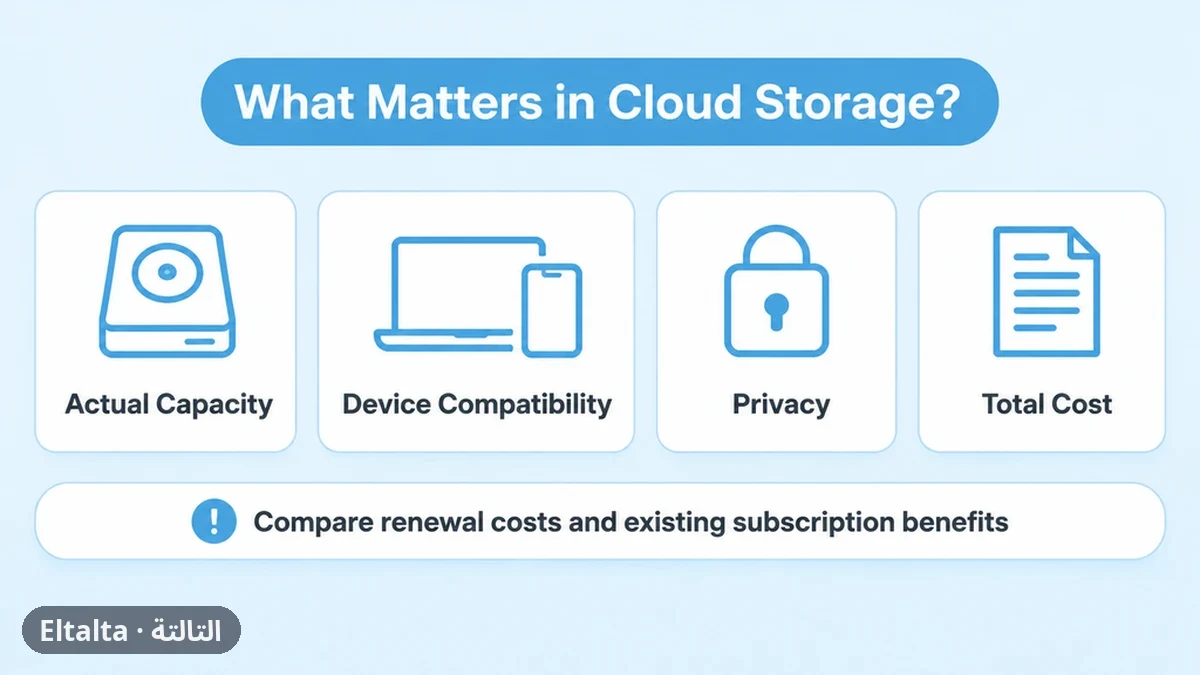
The right Best Cloud Storage service depends on compatibility with your devices, the capacity you need, how files are protected and restored, and the total cost.
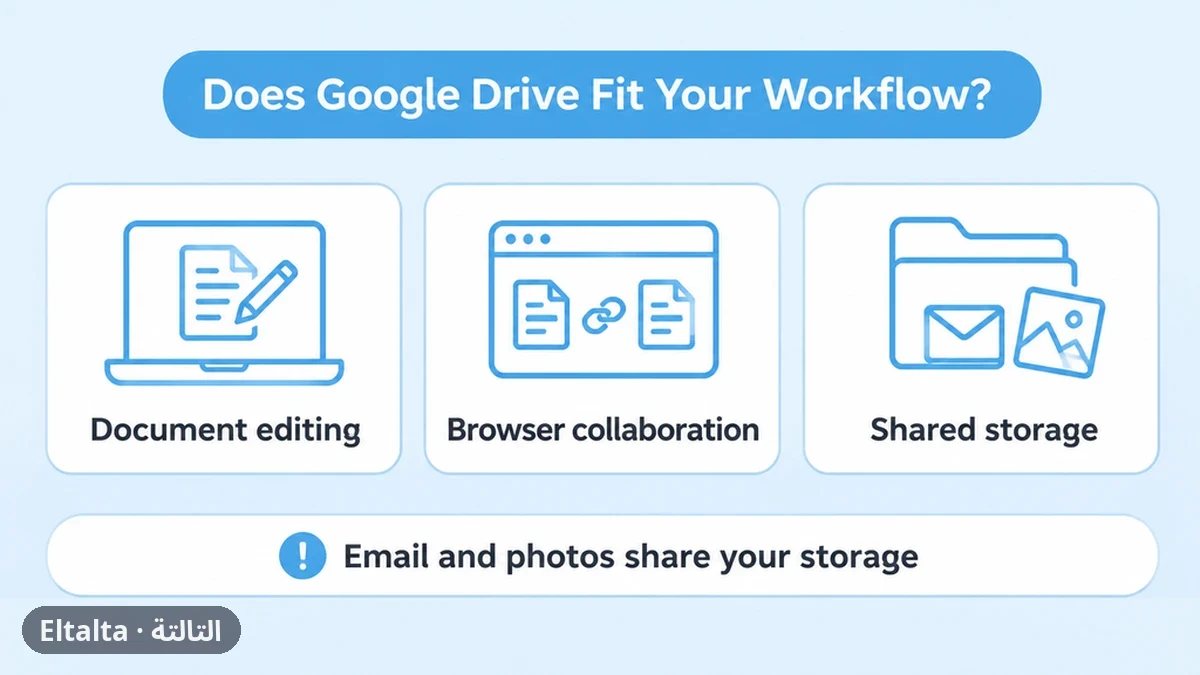
The Al Talta team compared prices, specifications and user opinions gathered through automated monitoring, matching each service to the needs supported by the available information.
The comparison uses the following criteria:
- Actual capacity: Space available for files after accounting for services that share the same quota.
- Compatibility and synchronization: Ease of accessing and updating files across the operating systems in use.
- Collaboration and sharing: Suitability for shared documents or sending large files.
- Privacy: Encryption type, who holds the keys and the cost of additional protection.
- Recovery: Version history and retention periods for deleted files.
- Cost: Annual price, add-on costs, renewal price and value from an existing subscription.
In this context, Activepieces2 recommends assessing Best Cloud Storage usage and choosing capacity about 20% above it. Al Talta considers that a practical buffer for growing collections of photos and documents, although it is moderate for a rapidly expanding video library: the rate of growth matters as much as the current file size.
Comparison Table: Capacity and Reasons to Choose
Best Cloud Storage services differ in storage value, app integration and privacy, as the following table shows.
MEGA supports synchronization on Linux, and one user said its client worked well for them. pCloud offers automatic synchronization, which one user described as seamless (YouTube3, pCloud4).
| Service | Capacity or plan cited in sources | Main reasons to choose it | Al Talta’s verdict on suitable use |
|---|---|---|---|
| Google Drive | 15 GB free, shared with Gmail and Photos, according to WhichToolFor1 | Google documents and browser-based collaboration | Strong for study and collaboration; email and photos affect the space available for files |
| Dropbox | 2 GB free, and a 2 TB Plus plan, according to Dupple5 | Synchronization and file sharing | Free capacity is limited compared with Google and MEGA; the paid plan suits one user’s files |
| Microsoft OneDrive | 1 TB with Microsoft 365 Personal, according to Microsoft6 | Storage alongside Office apps | Strong for a Microsoft 365 subscriber who has enough capacity |
| MEGA | 20 GB free and encrypted, according to the Saudi Apple store7 | Generous free space and encryption | Strong free capacity compared with the services listed, subject to the transfer quota |
| pCloud | Free storage starts at 2 GB and reaches 10 GB after completing tasks, according to Cyberpresso8 | Media and long-term payment options | Starting capacity is limited, and the maximum free allowance is conditional |
| Sync.com | 5 GB free and zero-knowledge encryption, according to Stack189 | Privacy | Moderate free capacity compared with Dropbox and MEGA, with a clear emphasis on protection |
| iCloud Drive | 5 GB free, according to BGR10 | Use within the Apple ecosystem | Limited for large libraries; suitable for starting with a few files |
On this basis, the phrase “best app for storing files” alone cannot determine a winner. A service may be strong for document editing but a middling choice for archiving huge video files.
A Common Basis for Comparing Published Figures
A consistent comparison of Best Cloud Storage services requires standardizing billing periods, separating personal storage from team plans, and distinguishing storage capacity from data transfer quotas.
The Al Talta lab team reviewed the published figures and compared them mathematically, converting monthly prices tied to annual billing into full-year costs and relating those costs to capacity and included features.
Dupple5 says Dropbox Plus costs USD 9.99 per month with annual billing, equivalent to USD 119.88 per year. Al Talta considers it more expensive than the Google One annual plan with the same capacity, though the cost may be justified for those who benefit from its synchronization and file-sharing features.
The Saudi Apple store listing for MEGA7 also lists the monthly PRO I plan with 3 TB of storage and 3 TB of transfer. The team considers the distinction essential: storage capacity is strong for a large library, but repeatedly downloading or sharing it consumes a separate transfer quota.
For speed, readers can compare documented features and prices while considering performance reports in the context of their authors’ experiences.
Results by Criterion: Where Each Service Excels
A different option leads each Best Cloud Storage criterion, so the result depends on the main task at hand.
Free Capacity: MEGA Leads on Available Data
MEGA offers the most free capacity among the Best Cloud Storage services with figures available in this comparison.
The Saudi Apple store7 confirms 20 GB encrypted without a credit card. Al Talta considers that strong compared with Google’s shared free allowance and Dropbox’s limited starting capacity, particularly for selected documents and photos.
However, Alternatives.tools11 notes transfer restrictions on the free account. Al Talta’s analysis finds MEGA ahead on free storage capacity, while the transfer quota may become a constraint when large files are downloaded repeatedly.
Daily Collaboration: Google and Microsoft Apps
Google Drive suits Google app users seeking Best Cloud Storage, while OneDrive suits those working in Microsoft apps.
WhichToolFor1 describes Google Drive’s real-time editing in Docs and Sheets and OneDrive’s integration with Windows File Explorer and Word, Excel, PowerPoint and Outlook. Al Talta rates this integration highly for daily work because it connects storage to tools people already use.
Privacy: Encryption and Key Ownership Matter
File protection in Best Cloud Storage varies according to where encryption occurs and who holds the key, making it necessary to examine the individual plan.
WhichToolFor1 says Google Drive encrypts files in transit and at rest, while Google retains the keys under the standard service. Al Talta considers this useful protection for general use, though it does not offer the same privacy objective as zero-knowledge encryption.
Stack189 describes Sync.com as using zero-knowledge encryption, while the pCloud page4 says client-side encryption is provided through pCloud Encryption and included in the advertised 3in1 bundle. The team considers the privacy feature strong, but the add-on cost is part of the pCloud purchase decision.
Recovery: Retention Can Affect Your Choice
The file recovery period in Best Cloud Storage becomes especially important when accidental deletion or modification is discovered late.
Dupple5 says Dropbox Plus includes 30 days of version history and file transfers up to 50 GB. Al Talta considers the recovery period moderate for everyday work incidents and the transfer capability strong for sending a large project within the stated limit.
Cyberpresso8 reports discrepancies between pCloud pages, with paid recovery periods ranging from 30 to 60 days. The team uses the shorter period in this comparison; it provides a moderate recovery window without basing a long-term archiving decision on the longer figure.
Pricing: Options Available to Users in Saudi Arabia
The Best Cloud Storage data includes a Saudi riyal price for a MEGA plan through the Apple store and reference USD prices for the remaining plans, making the local checkout page the source for the final cost.
Al Talta’s technical team noted differences in currency, purchase channel and billing period in the collected prices and separated them so an international price would not appear to be a confirmed Saudi offer.
| Service and plan | Capacity | Listed price | Al Talta’s assessment |
|---|---|---|---|
| Google One Basic | 100 GB | USD 19.99 per year, according to Activepieces2 | Strong for limited needs compared with buying unused extra capacity |
| Google One Standard | 200 GB | USD 29.99 per year, according to Activepieces2 | A suitable middle step for photos and files |
| Google One Premium | 2 TB | USD 99.99 per year, according to Activepieces2 | Strong storage value compared with Dropbox Plus |
| Dropbox Plus | 2 TB | USD 119.88 per year, according to Dupple5 | Moderate storage value; its worth depends on synchronization needs |
| Microsoft 365 Basic | 100 GB | USD 19.99 per year, according to Dupple5 | Competitive with Google’s basic plan at the stated price and capacity |
| Microsoft 365 Personal | 1 TB with Office | USD 99.99 per year, according to Dupple5 | Strong for those who use the apps alongside storage |
| MEGA PRO I through the Saudi Apple store | 3 TB storage and 3 TB transfer | SAR 49.99 per month, according to the Saudi Apple store7 | Strong capacity, with the transfer quota counted separately |
| pCloud | 500 GB / 2 TB / 10 TB | USD 49.99 / 99.99 / 299.99 per year, according to ShopHighSpeed12 | The smaller capacity offers moderate value; larger options better suit growing libraries |
| Sync.com Personal | 1 TB | USD 12 per month with annual payment, according to Cyberpresso8 | Higher storage cost than the alternatives listed; privacy is the reason to consider it |
| iCloud+ | 50 GB | Starts at USD 0.99 per month, according to WhichToolFor1 | Suitable for modest needs across Apple devices |
Cyberpresso8 lists a first-year price for the cited Sync.com plan equivalent to USD 9 per month instead of the regular price. The team considers the discount an improvement to the initial cost, but the regular price matters more when budgeting to retain files for years.
Activepieces2 notes that Google prices vary by country, and Compass13 explains how country, taxes and billing period affect Dropbox pricing. These figures alone therefore cannot establish the cheapest cloud storage price in Saudi riyals.
Features and Limits: What Each Subscription Offers
The strongest Best Cloud Storage benefits come from integration, privacy or payment models, alongside limitations that can affect use.
| Service | Most notable benefit | Significant limitation | Source |
|---|---|---|---|
| Google Drive | Collaboration, document editing and multiplatform support | Capacity is shared with Gmail and Photos, and there is no official Linux app according to the source | WhichToolFor1 |
| Dropbox | Synchronization and an official Linux app | Free tier: 2 GB and three devices; limited for use across many devices, in Al Talta’s assessment | Techpresso14 |
| OneDrive | Integration with Windows and Microsoft 365 | Purchase value falls for those who only want storage and do not use the apps | WhichToolFor1 |
| pCloud | Audio and video player, synchronization options and backups from other services | Client-side encryption depends on an add-on or bundle | pCloud4 |
| MEGA | On-device encryption and password-protected sharing links | The transfer quota and safe storage of recovery credentials are essential considerations | Saudi Apple store7, Alternatives.tools11 |
| Sync.com | Zero-knowledge encryption | The cited personal plan costs more than some storage alternatives | Stack189, Cyberpresso8 |
| iCloud Drive | Convenient use within the Apple ecosystem | Free capacity is limited for large libraries | WhichToolFor1, BGR10 |
A full account is another important limitation. Activepieces2 says a full Google quota can stop uploads and backups and affect Gmail. The team considers a shared quota a moderate fit for those who want to separate work files from phone photos and email.
Use Cases: Families, Media, Linux and NAS Storage
The Best Cloud Storage choice changes when the comparison moves from “storing files” to a specific scenario involving particular devices, users and recovery methods.
Families and Photos: Sharing Space and Privacy
Families choosing Best Cloud Storage need to compare the number of users, shared capacity and privacy of each person’s files.
Cyberpresso8 lists pCloud Family lifetime prices of USD 749 for 2 TB or USD 1,849 for 10 TB for up to five people. Al Talta considers the upfront payment high compared with an annual subscription, but worth calculating for a family that will use the service for years and needs separate accounts.
According to ShopHighSpeed12, the Family plan gives each person private space, a strong feature for organizing family files compared with treating the space as a single account.
For Microsoft family storage, TechBarrista15 reports changes in capacity allocation and different implementation dates. The family comparison therefore depends on the capacity shown in the household’s subscription and its purchase offer, rather than applying an older user experience to every subscriber.
Video Libraries: Capacity, Transfer and Uploads
Video libraries need substantial space and suitable transfer capacity from Best Cloud Storage, particularly when sharing files or restoring the entire collection.
pCloud4 provides an in-service audio and video player. Al Talta expects this to be a strong feature for anyone who wants to access a media library in one place, compared with choosing a service on capacity alone.
ShopHighSpeed12 calculates that uploading 1 TB takes about 2.6 days at 35 Mbps, compared with about 4.5 hours at 500 Mbps before slowdowns. Although theoretical, the calculation shows a clear difference between the connections. The team considers the gap large: the first connection is limited for a quick initial upload, while the second is stronger for transferring a large library within one day under the theoretical calculation.
Linux: MEGA and Dropbox Offer Clearer Support
MEGA and Dropbox deserve an initial comparison for Linux users seeking Best Cloud Storage, while distinguishing the existence of an app from an assessment of its performance.
WhichToolFor1 confirms an official Dropbox app for Linux and notes the absence of a comparable official Google Drive app. The team considers official support a strong point for those who rely on daily desktop synchronization.
User opinionfranciscocorrales on YouTube: Reported that the MEGA synchronization client works well for them on Linux and linked their preference for the service to their large library; they also felt Proton’s Linux support did not meet their needs at the time of the comment. Comment link3
This account offers a useful indication of one MEGA experience, but the comparison data does not provide enough current specifications to rank Proton on Linux or generalize that assessment.
NAS Backups: Off-Site Copies and Recovery
A NAS user needs Best Cloud Storage compatible with the device and its backup and recovery method, as well as sufficient capacity.
User opinionu/HerroMysterySock on Reddit: Explained that they use IDrive as an off-site backup for important files on a NAS, and that their subscription also includes space to synchronize files between computers and the cloud. Experience link16
This experience supports including IDrive in the search for off-site backup; NAS compatibility and the recovery process remain part of the decision. ShopHighSpeed12 suggests using pCloud as an off-site copy alongside a NAS or home drives. The team considers this a strong way to distribute copies across two locations, subject to NAS compatibility and the plan’s recovery process.
When to Choose Google Drive for Collaboration
Google Drive suits people who rely on Gmail, Docs and Sheets and want to share and work on documents in a browser as part of their Best Cloud Storage setup.
WhichToolFor1 describes support for the web, Windows, macOS, iOS and Android, as well as version history and offline files. Based on these specifications, Al Talta expects it to be a strong fit for study and collaboration across phones and computers.
Activepieces2 explains that additional personal storage is purchased through Google One. For a work or school account, TheodoreHQ citing Google17 says the account holder should contact the organization that provided it to increase storage. This is an important constraint before buying a personal subscription to resolve an organizational account issue.
When to Choose Dropbox for Sync and Sharing
Dropbox suits people who regularly synchronize files across devices and send them as part of their work, and are seeking Best Cloud Storage for that purpose.
WhichToolFor1 describes Dropbox as an option for synchronizing large folders, and Dupple5 confirms the 2 TB Plus capacity. Al Talta considers it strong for one user’s files, with less value for someone who already has sufficient space in another subscription.
User opinionDupple in its Dropbox plans guide: Suggests Plus may not suit someone already paying for Microsoft 365 and recommends considering Standard and Advanced only when a team plan is needed.5
Dropbox suits those who need synchronization and sharing, while its value is lower for someone who only wants a second storage allowance.
When to Choose Microsoft OneDrive for Office Work
OneDrive can be the Best Cloud Storage choice for people using Windows and Office apps, particularly when Microsoft 365 Personal is already among their subscriptions.
Microsoft6 lists 1 TB of capacity, and WhichToolFor1 connects the plan with desktop apps and Personal Vault. Al Talta rates the bundle strong for office work and moderate for someone purchasing storage alone and comparing only terabyte counts.
User opinionu/Samsonmeyer on Reddit: Described OneDrive as straightforward and easy for storage, and noted the option to keep folders locally and in the cloud or in the cloud only, based on their experience with a six-seat family plan. Comment link18
The experience illustrates the benefit of controlling where files reside; the seat count describes the commenter’s subscription at the time of writing.
When to Choose MEGA for Free Encrypted Storage
MEGA suits people seeking Best Cloud Storage with relatively generous free space or encrypted storage for their files.
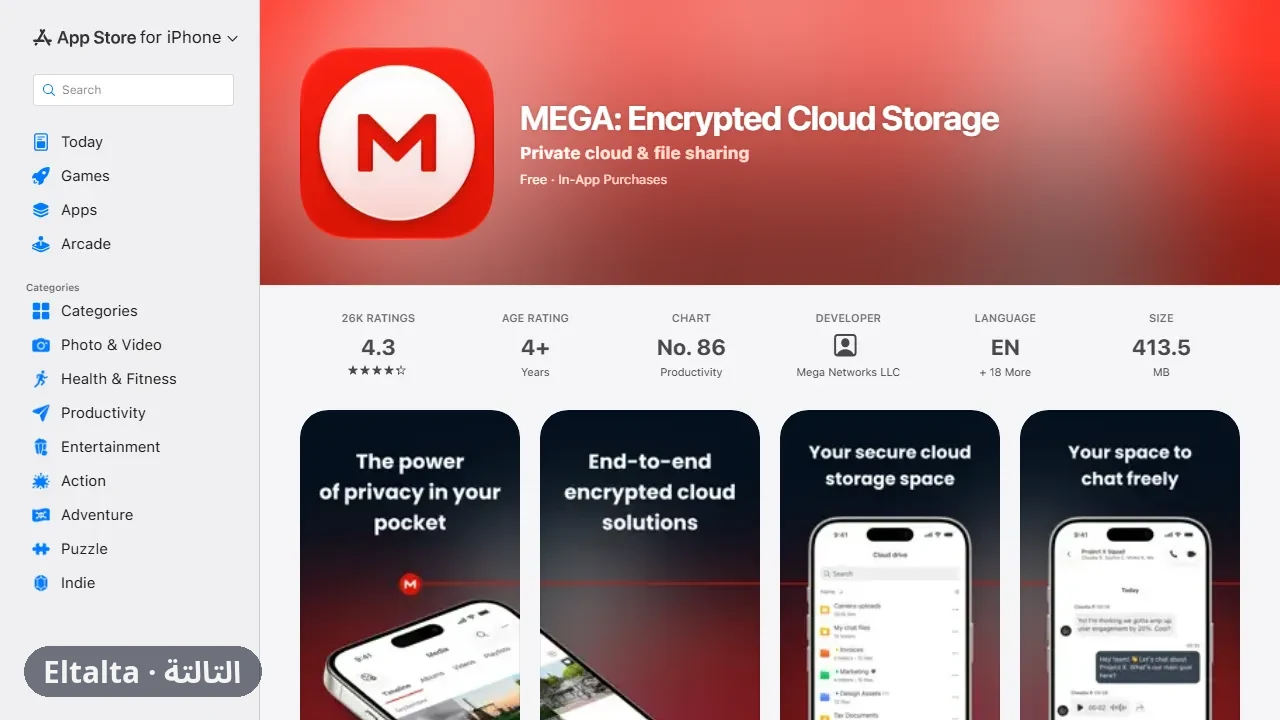
The Saudi Apple store7 confirms support for sharing files and folders through password-protected links and restoring previous versions. Al Talta expects this to be a strong combination for personal use and sharing selected files.
The same page specifies iOS 17.0 or later, a limitation for older devices. Alternatives.tools11 also warns that losing both the password and recovery key results in losing access to data, making recovery key management essential to using the service.
Other Options: pCloud, Sync.com and iCloud Drive
These services deserve comparison when seeking Best Cloud Storage for long-term payment, privacy or Apple integration, particularly when those priorities matter more than work apps.
pCloud4 offers sharing, automatic synchronization and backups from services including Google Drive, Google Photos, Dropbox and OneDrive. The team considers the range of backup sources a strong feature for people who distribute files across multiple accounts, while treating the Encryption add-on separately when calculating the price.
User opinionu/limsus on Reddit: Preferred Sync.com for privacy and secure storage, praised pCloud’s apps and media features, and considered MEGA a good free-space option. Comment link19
User opinionSimon Heide Petersen, in a Trustpilot testimonial displayed by pCloud: Described the service as easy to use and good value, and mentioned two-factor authentication and backups from Google Drive and Google Photos.4
WhichToolFor1 describes iCloud Drive as the simplest option for someone who uses Apple devices exclusively. Al Talta considers its ecosystem fit strong, while people with many photos and videos will need more than the limited free space.
Storage, Sync and Backup: The Practical Difference
Storage in Best Cloud Storage keeps files in the cloud, synchronization connects their updates across locations and devices, and backup focuses on having a copy that can be restored.
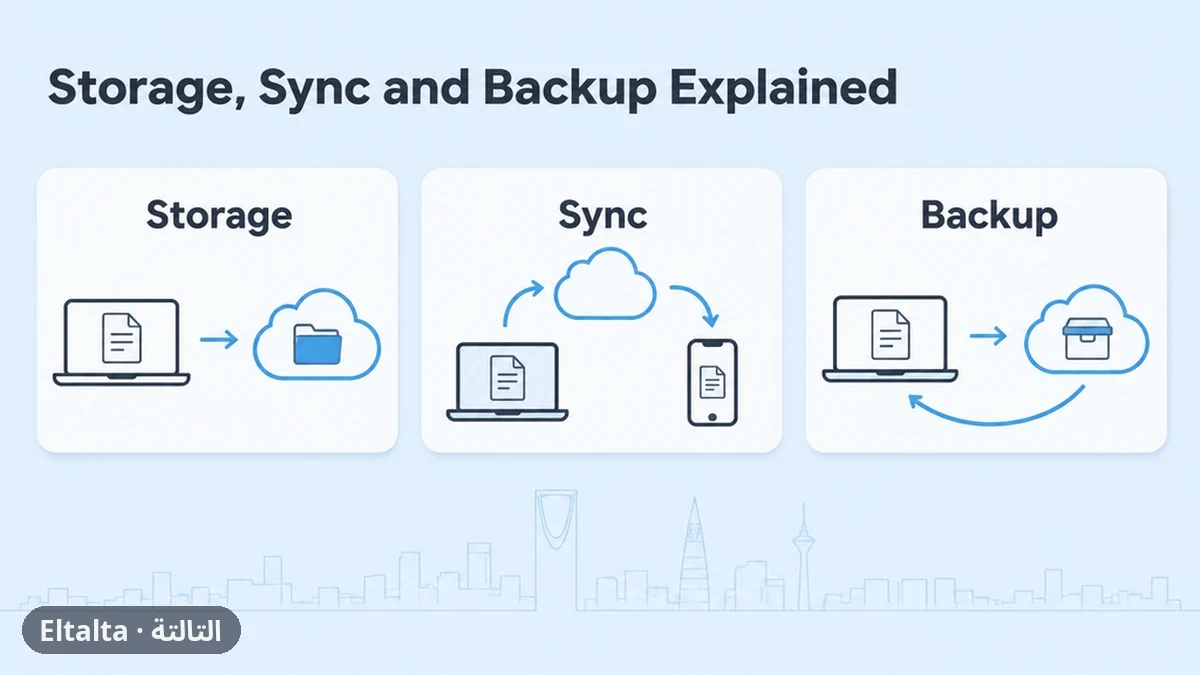
An IDrive user’s experience on Reddit16 helps illustrate the difference: the user distinguished an off-site copy of NAS files from a separate function for synchronizing files between computers and the cloud.
After analyzing recently published technical data and documentation, our engineers concluded that synchronization alone does not determine backup quality. Recovery periods, versions and the location of the other copy also matter, as shown by the Dropbox5 and pCloud8 data.
Depending on service settings, files can be kept locally or in the cloud, as the earlier OneDrive experience describes. An off-site copy helps users distribute their copies between home and another location, the scenario ShopHighSpeed12 discusses with NAS and local drives.
Long-Term Plans: Is a Lifetime Purchase Worth It?
A lifetime Best Cloud Storage plan is worth calculating when the service is expected to be used for years and the upfront payment and plan terms are acceptable.
Cyberpresso8 lists pCloud at USD 499 as a one-time payment for 2 TB, compared with USD 99.99 per year. Al Talta considers the upfront commitment high, but mathematically equivalent to about five years of annual subscriptions; its value increases after that period if prices and needs remain stable.
Techpresso citing pCloud’s terms20 defines the term as the account holder’s lifetime or 99 years, whichever is shorter. That is long compared with an annual subscription, although the benefit remains tied to the service’s continued operation and terms.
Al Talta’s engineers reviewed the Cyberpresso comparison8 and concluded after a series of comparisons that privacy costs change the break-even point. The Encryption add-on raises the cited 2 TB price to USD 649 as a one-time payment or USD 149.98 per year. This is a significant increase for those who require client-side encryption and prevents a direct comparison between storage alone and a bundle with additional protection.
Case Study: pCloud Offer and Regular Price Value
A published comparison shows how the initial purchase price of a Best Cloud Storage plan changes the time a lifetime plan takes to break even against an annual subscription.
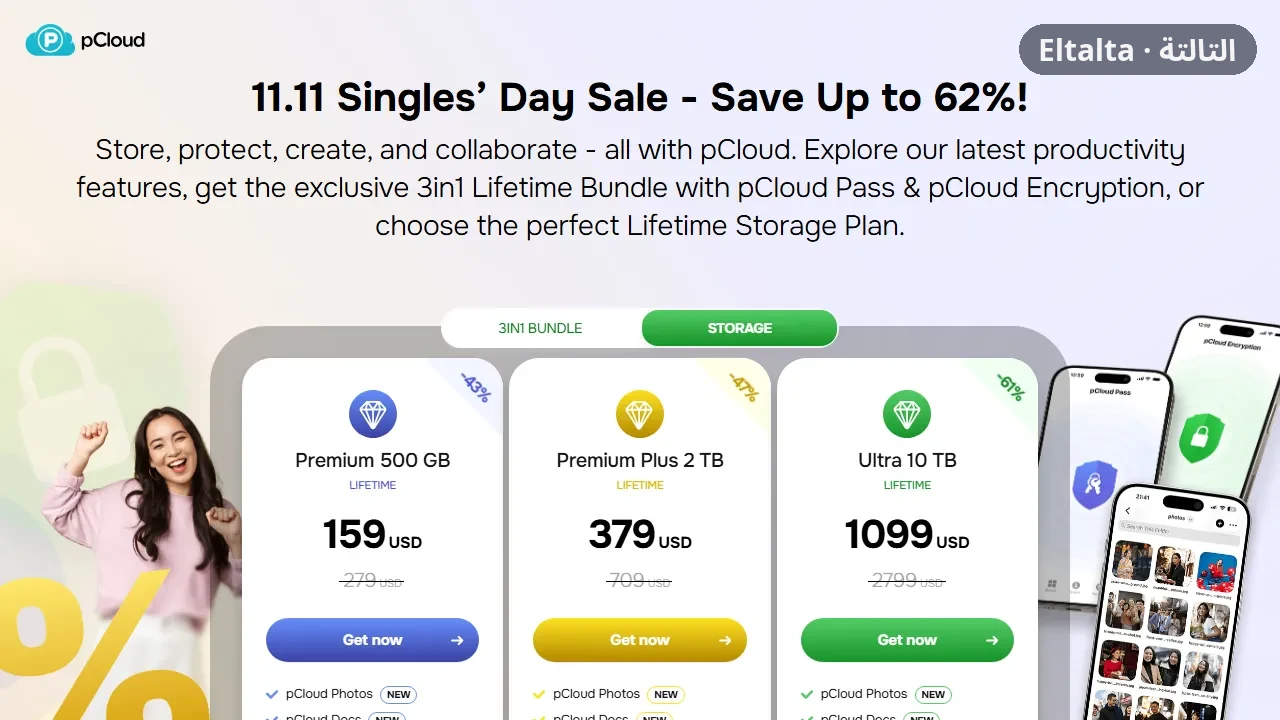
ShopHighSpeed12 calculates the value of a 2 TB pCloud plan at an offer price of USD 379, compared with an annual subscription of USD 99.99; the costs break even in less than four years. Al Talta considers this a strong result for someone expecting to keep the service beyond that period and moderate for someone who needs it briefly or may change providers.
In the same comparison, the purchase price outside the offer rises to USD 499, bringing the break-even point close to five years, according to ShopHighSpeed12. The decision depends on actual usage duration; the cited offer is a published snapshot, and its availability at checkout determines the price.
Al Talta Analysis: Buying Space or Using a Plan
The value of Best Cloud Storage depends on how much space will be used and the additional cost paid, alongside the price per terabyte.
Using the prices from Activepieces2 and Dupple5, the annual cost per terabyte is about USD 50 for Google One, compared with USD 59.94 for Dropbox Plus. Al Talta finds Google stronger on storage value across these two plans; the USD 19.89 annual difference for the full plan calls for a clear functional benefit for a Dropbox user.
The calculation changes for someone already paying for Microsoft 365 Personal. If their needs fit within the included 1 TB, according to Microsoft6, buying separate storage costs more than using space already in their subscription.
From our experience with customers and users, as reflected in the documented comments in this guide, different devices and ways of working change what value means. The OneDrive experience emphasizes easy management of local and cloud files, while the MEGA experience emphasizes a large library and Linux, according to the Reddit comment18 and YouTube comment3.
An additional subscription earns its cost when it solves a specific need: capacity beyond what is available, synchronization better suited to the devices, required privacy or an off-site copy. A lower price per terabyte offers less benefit when most of the purchased space will remain empty.
Frequently Asked Questions Before Subscribing
Choosing Best Cloud Storage depends on capacity, devices and intended use, followed by a review of the plan terms.
What Is the Best Free Cloud Storage Service?
MEGA leads on free capacity among the Best Cloud Storage options listed here, while Google Drive leads for those who prefer collaboration through Google documents.
The former provides 20 GB, according to the Saudi Apple store7, and the latter provides 15 GB shared, according to WhichToolFor1. The team rates MEGA strong on space and Google strong at connecting files to work apps.
How Much Does 1 Terabyte Cost in Saudi Arabia?
The listed prices do not show a confirmed Saudi price for a standalone one-terabyte plan; they include a USD price for Microsoft 365 Personal and a Saudi price for the larger MEGA plan through the Apple store.
As noted in the pricing section, a USD price is available for Microsoft 365 Personal and a Saudi price for the larger MEGA plan through the Apple store. The local comparison therefore depends on the checkout offer, capacity and subscription channel, without converting the international price into an advertised Saudi price.
Can You Get 1 Terabyte Free with OneDrive?
OneDrive’s 1 TB is included in the paid Microsoft 365 Personal subscription with Office apps, according to Dupple5.
Dupple5 explains that this capacity comes with Microsoft 365 Personal and Office apps. The team considers it strong for an existing subscriber, but it is part of the paid bundle.
Is iCloud or Google Drive More Secure to Use?
The encryption information available is insufficient to declare a security winner between iCloud and Google Drive. The available Google Drive information covers encryption in transit and at rest, with Google holding the keys in standard use.
According to WhichToolFor1, Google Drive encrypts data in transit and at rest, with Google holding the keys in standard use. A privacy decision therefore requires an understanding of the encryption type and account terms as well as the provider’s name.
How Can I Protect My Account and Its Data?
Account protection starts with enabling an additional verification method and reviewing app permissions.
occcy citing Google21 reports recommendations to use two-step verification or passkeys, review app permissions and restrict file sharing to specific people. The team considers these strong measures for reducing the risk of unauthorized access.
For MEGA, the free plan page22 emphasizes keeping the recovery key; encrypted protection also depends on the account holder’s ability to regain access.
Does Google Drive Convert Files Automatically?
The collected sources do not establish that Google Drive automatically converts all files, nor do they identify the file types and settings involved.
The observation appeared in a Reddit user comment18. Al Talta’s analysis finds its significance limited relative to the Google Drive information in this article, and the team does not expect automatic file conversion to be an inherent drawback of the service.
How Do I Upload, Sync and Restore My Files?
The process starts with a Best Cloud Storage account and the appropriate app for the device, followed by selecting the required files and the retention and recovery options available under the plan.
WhichToolFor1 describes web and app access and offline files in Google Drive, Dupple5 covers Dropbox version history, and the Saudi Apple store7 confirms version restoration in MEGA. The team considers knowing these options from the outset more useful than treating the service solely as an upload folder, particularly for files that change frequently.
Methodology: How Al Talta Built This Comparison
Al Talta used automated monitoring of Best Cloud Storage prices, specifications and documented user opinions, followed by an editorial and mathematical comparison connecting the information to purchase decisions.
The guide covered eight main services for Best Cloud Storage: Google Drive, Dropbox, Microsoft OneDrive, MEGA, pCloud, Sync.com, iCloud Drive and IDrive. The team standardized the annual comparison for Google One plans with 2 TB, Dropbox Plus with 2 TB, and Microsoft 365 Personal with 1 TB, using Activepieces2, Dupple5 and Microsoft6.
The team reviewed pCloud prices and encryption, family and lifetime options through ShopHighSpeed12, Cyberpresso8 and company pages, and linked Linux and NAS support and local and cloud copy management to the documented comments presented in the article. The ratings “strong,” “moderate” and “limited” express Al Talta’s analysis of published specifications and prices against alternatives and the specific use case.
Data collection: Monitoring by the platform team using manual analysis and advanced information-tracking techniques: store listings, published spec pages, and public Reddit and YouTube comments.
Sources (27)
- WhichToolFor’s comparison — whichtoolfor.com
- Activepieces — activepieces.com
- YouTube — youtube.com
- pCloud — landing.pcloud.com
- Dupple — dupple.com
- Microsoft — microsoft.com
- Saudi Apple store — apps.apple.com
- Cyberpresso — cyberpresso.com
- Stack18 — saaskart.co
- BGR — bgr.com
- Alternatives.tools — alternatives.tools
- ShopHighSpeed — shophighspeed.com
- Compass — compass.reasonableproduct.com
- Techpresso — techpresso.co
- TechBarrista — techbarrista.com
- Experience link — reddit.com
- TheodoreHQ citing Google — theodorehq.com
- Comment link — reddit.com
- Comment link — reddit.com
- Techpresso citing pCloud’s terms — techpresso.co
- occcy citing Google — occcy.com
- free plan page — freetrialdeals.com
- m.appapril.com
- slashdot.org
- reddit.com
- x.com
- x.com


