
Download PUBG Mobile for free from your phone’s app store or the official website. Performance and storage needs depend on your device, game version.
and downloaded resources.
Want to play with friends? This guide from Eltalta explains how to install the official version, update it, check whether your phone is compatible, and troubleshoot download and installation issues.
The game is free, with optional in-game purchases. Your first considerations are your phone’s capabilities, available storage, and connection quality. Purchases only matter if you decide to buy in-game content.
Table of contents
Overview: What Is PUBG Mobile, and Which Version Fits?
PUBG Mobile is an online multiplayer combat game centered on battle royale. Players parachute from a plane, collect weapons and medical supplies, and try to survive until the match ends.
You need to choose a suitable location, equip your weapon, and move as the play zone changes. The last surviving player or team wins, depending on the match mode.
The game features urban areas, mountains, rivers, and winter environments, as well as vehicles for getting around. The maps covered in GameLoop’s comparison published in July 20231 include Erangel, Miramar, Sanhok, Vikendi, Karakin, Nusa, and Livik. Available content may vary by version and mode.
What Is the Difference Between PUBG Mobile and PUBG Mobile Flash?
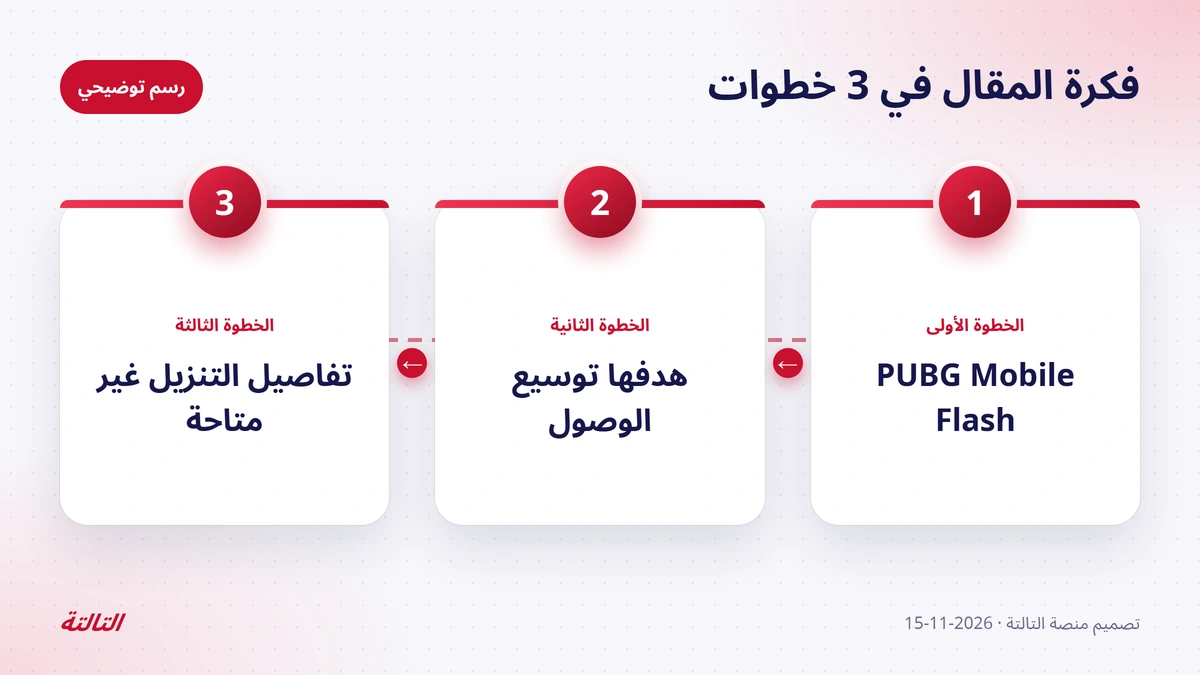
PUBG Mobile Flash offers the core PUBG experience with a smaller initial download and performance improvements. Players can play with friends across the two versions.
According to the global launch announcement published on 14 November 20262, Flash launched alongside a collaboration with singer Davido, with the aim of making the experience available on a broader range of smartphones. In this context, the launch date refers specifically to Flash; the original PUBG Mobile is older.
User opinionVincent Wang, General Manager and Head of PUBG Mobile at Level Infinite, said via Android Central on 13 November 20263: “With PUBG Mobile Flash, we take another step toward that goal, making it easier for more players to enjoy the core PUBG Mobile experience, reconnect with friends, and remain part of our global community.” (With PUBG Mobile Flash, we are taking another step toward that goal, making it easier for more players to enjoy the core PUBG Mobile experience, reconnect with friends, and remain part of our global community.)
Flash should not automatically be equated with PUBG Mobile Lite. Available material on Lite covers different versions and does not establish it as an equivalent alternative to Flash or the core game.
Steps and Concepts: How to Download and Install PUBG Mobile
You can download the game from your phone’s app store, or use an APK file from the official PUBG Mobile website on Android if the site offers that option.
How to Install PUBG Mobile on Android
The usual installation process starts with searching for PUBG MOBILE in Google Play and opening the official game page.
- Open Google Play on your phone.
- Search for PUBG MOBILE and open the official game page.
- Check device compatibility and the displayed download size.
- Tap “Install” and wait for the download to finish.
- Open the game and wait for any required additional resources to download.
- Sign in with the account you want to use.
EarlyGame’s instructions for downloading and updating the game4 explain that an “Update” button appears when an installed version has an update available, while new users need to download the full game.
How to Download PUBG Mobile as an APK
On Android, you can download an APK from the game’s official website when a download button is available there.
- Visit the official PUBG Mobile website using a trusted source.
- Tap the APK download button if it is available.
- Wait for the file to finish downloading.
- Open your file manager and tap the game file.
- Follow the installation prompts and permissions shown.
- Launch the game to finish downloading its resources.
The EarlyGame page4 presents this as an alternative when an update does not appear in the store. However, not every file named PUBG is an official version, and Android files cannot be used to install the game on iPhone.
How to Install PUBG Mobile on iPhone
You can install PUBG Mobile on iPhone from the game’s official App Store page.
- Open the App Store.
- Search for PUBG MOBILE.
- Open the official game page and check compatibility and size.
- Tap the download button, or “Update” if the game is already installed.
- Wait for installation to finish, then open the game to download additional resources.
- Sign in and set up your account.
EarlyGame’s guidance4 recommends having enough storage and a good Wi-Fi connection, especially for large files.
How to Check System Requirements and Storage Needs
Exact requirements depend on the version listed for your device.
Check the store page’s compatibility section to see the requirements for the available version. Successful installation alone does not indicate how smoothly the game will run.
The download file size also differs from the space needed after installation and downloading maps and resources. Therefore, the available figures do not establish one final storage requirement for every phone.
Practical Examples: What Do Download Sizes and Costs Mean?
Sizes reported for earlier versions help illustrate how file sizes vary, but they do not determine the size of the latest version available for your phone.
When covering update 3.4 in September 2024, EarlyGame reported4 about 1 gigabyte for an Android update when the game was already installed, about 1.9 gigabytes for a full download, and about 4.33 gigabytes for an iOS update.
These are historical figures for a specific version. Having free space equal to the download file size does not guarantee enough room after additional resources are installed.
Is Download PUBG Mobile and Playing It Free?
Download PUBG Mobile and getting started are free. In-game purchases are optional.
The Midasbuy page5 lists top-up tiers of 60, 300, 600, 1500, 3000, and 6000, but the available text does not show verified prices in Saudi riyals.
The page also includes settings for other markets and cumulative top-up rewards with incomplete terms. These details alone cannot establish a Saudi price or guarantee a reward. Check the amount shown for your account and region at checkout before purchasing.
How to Start Playing With Friends
To start playing together, sign in, add your friends, form a team, and enter a mode available to all of you.
In battle royale, you start by collecting weapons, healing items, and protective gear. Weapon attachments must be found during a match, while some multiplayer modes let you customize loadouts differently.
Given the nature of the game, agreeing on a landing spot and movement plan is more useful than splitting up from the start. You can read the PUBG Mobile guide for an introduction to its main topics.
Lab Notes: What Did Our Review Establish, and What Are Its Limits?
Our review established that download sizes vary between systems and versions. It did not involve direct performance testing on phones or measurements of final storage use.
The Eltalta team conducted automated monitoring of published information about downloads, updates, and top-ups. It found that size and pricing data do not all refer to the same version or market.
The Eltalta lab team reviewed and compared the published figures in their documentary context: comparing an update for an already-installed game with a full download gives an inaccurate impression of storage needs. Here, “review” means examining published data, not downloading the game on physical devices.
After analyzing recently published technical documents and data, our engineers concluded that claims of cross-play between Flash and the core version do not establish identical system requirements or resource sizes. The launch announcement focuses on lowering the download barrier and expanding access.
The Eltalta technical team observed that some search results cover older updates or different apps with PUBG in their names. This makes the source date and app identity essential when evaluating a download link.
The available material does not include direct customer interactions or user testing sessions conducted by Eltalta. These observations are therefore based on monitoring and published sources.
Common Mistakes: What Can Disrupt Downloads or Cause Confusion?
The main pitfalls are relying on an outdated file size, downloading a different app, or deleting the game before confirming that your account is backed up.
What to Do if Downloading or Installation Fails
Start by checking device compatibility, available storage, and connection stability, then retry the download from an official source.
- Check the error message and the store’s compatibility page.
- Make sure you have more free space than the download file requires.
- Use a stable connection and try downloading again.
- If installing an APK, make sure the file downloaded completely and follow the system instructions.
- If the issue persists, contact game support and provide a clear description.
If an update button does not appear immediately after an announcement, that does not necessarily mean there is a problem. EarlyGame’s coverage4 noted that it can take time for an update to reach all regions.
How to Address Crashes or Stuttering
Start by distinguishing an app crash from reduced visual smoothness or network lag.
If the game repeatedly stops when you open it, check for updates, storage, and connection issues. If the problem continues, contact PUBG Mobile support6. The available information does not establish one fix for every crash.
During gameplay, the guide to PUBG Mobile stuttering can help explain smoothness issues, while the guide to PUBG Mobile ping covers response delays. A 5G connection label alone does not guarantee consistent performance in every match.
How to Avoid Losing Progress When Changing Phones
Using the sign-in method linked to your account can help restore progress when you switch to a new phone.
BetBoost’s guide to moving from Android to iPhone7 explains how to link an account to a supported service, then use the same credentials on the new device. It also recommends checking achievements and inventory after signing in.
Available services may vary. It is best to use the linking options shown in your version. If items are missing or your credentials are rejected, the page recommends checking your connection and account details, then contacting support.
Is the “PUBG Mobile Hack” App the Official Game?
The app named “PUBG Mobile hacker” (PUBG Mobile Hack) in the data is a different app and is not evidence of an official PUBG download.
Its listing shows an old version dated March 2019, a size of 4.2 megabytes, and a different package identifier. Its size should not be used to estimate the game’s size, nor should it be treated as an update.
Conclusion: What Is the Best Way to Download PUBG Mobile?
The best option is to download the official version compatible with your phone, finish downloading its resources, and check performance before buying in-game content.
The app store suits users who want to install and update from one page. The official APK remains an option for Android when the game’s website offers it. Flash may be worth considering if download size is a barrier, but check its availability and requirements for your device.
Based on the Eltalta team’s analysis, separating the free download from optional purchases helps you make a more informed decision. Trying the game first lets you check whether it suits your phone and connection before spending money.
Updates: How to Get the Latest Version and Check Documented Features
You can get the latest version available for your account and device using the “Update” button on the official game page. Published material does not conclusively establish the latest official version in Saudi Arabia.
Search results mention 4.4, 4.5, and 4.7.0, but a video title or download page alone cannot confirm which version the store offers now.
In its coverage of update 4.4, Masr Times8 reported “Crown of Champions” mode, changes to Erangel, the return of Nimbus Island, an honor system, the M1 Garand weapon, and the Chariot vehicle, along with performance improvements and support for 120 frames on some devices. These features are attributed to that update and do not guarantee that every event is still running or that your phone supports the frame rate.
The coverage also discussed collaborations with Blue Lock, Ford Motor, and Harley-Davidson. Since this information is tied to an earlier update and schedule, it should not be treated as a list of currently available content.
Material on update 4.5 covers changes to movement, some weapons, and sensitivity settings. After updating, it may help to try your camera, aiming, and gyroscope sensitivity in the training ground before ranked matches.
Eltalta Analysis: Why a Smaller File Is Not Enough
A smaller download makes the game easier to access, but it does not by itself determine the quality of the experience or whether in-game purchases are worthwhile.
Eltalta’s engineers reviewed the Flash launch announcement and published update sizes. Their comparison concluded that deciding whether to download involves three stages: downloading the file, accommodating its resources, and running matches smoothly. A phone may handle one stage but struggle with the next.
From that perspective, cross-play between Flash and the core version offers more than a way to save storage: friends can use versions suited to their devices and still play together. But performance depends on the actual device experience, which documentary review cannot replace.
Frequently Asked Questions
Where Can I Download the Official PUBG Mobile in Saudi Arabia?
Search for the official game in Google Play or the App Store. On Android, you can use an APK from the game’s official website if it is offered there.
The published sources do not provide a direct Saudi store link, so we have not included an unverified alternative.
How Much Storage Is Needed After Downloading Resources?
The total varies by version, operating system, and resources. The size shown before downloading does not necessarily represent the space needed after everything is installed.
Do I Need 6 GB of RAM?
The figure in the reference article relates to computers and is not a requirement for the mobile version.
How Many PUBG Mobile Players Are There?
The sources provided do not include a recent figure that specifies the player count, measurement period, and activity metric.
Registered accounts, downloads, and active players are different metrics. One should not be substituted for another.
Who Develops and Publishes the Game in Saudi Arabia?
Recent material associates PUBG Mobile’s management with Level Infinite, but does not provide enough documentation to identify all development parties and the local publisher in Saudi Arabia.
Check the developer and publisher details on the official version’s store page and terms to identify the associated parties.
What Are the Upcoming Major PUBG Mobile Tournaments in Saudi Arabia, and How Do I Register?
Participation requires an official announcement specifying age, region, team composition, date, and registration method. A broadcast also needs a link from the organizer.
Methodology: How We Developed the Download Guidance
The Eltalta team based its download guidance on automated source monitoring, distinguishing general installation steps from historical version figures and user opinions.
The team kept update 3.4 sizes tied to that update, presented top-up tiers according to the available pricing data, and linked processor and RAM requirements to the availability of official specifications.
This article is based on material monitored by the team through 15 November 2026. Each detail remains tied to its version, date, and market.
In this context, Eltalta used the Flash launch announcement to explain the new version’s availability, update coverage to explain downloads and historical size differences, and Midasbuy data to describe top-up options based on the pricing information shown. The team presented user experience as an individual account reflecting its author’s experience.
The Eltalta team conducted automated monitoring and documentary analysis of the sources. Accordingly, the guidance distinguishes installation information, version data, and individual user experience.
Data collection: Monitoring by the platform team using manual analysis and advanced information-tracking techniques: store listings, published spec pages, and public Reddit and YouTube comments.
Sources (8)
- GameLoop’s comparison published in July 2023 — gameloop.com
- the global launch announcement published on 14 November 2026 — newbusinessethiopia.com
- Android Central on 13 November 2026 — androidcentral.com
- EarlyGame’s instructions for downloading and updating the game — earlygame.in
- The Midasbuy page — midasbuy.com
- PUBG Mobile support — support.pubgmobile.com
- BetBoost’s guide to moving from Android to iPhone — betboost.ru
- Masr Times — masrtimes.com


